Tell it what's due. Friday finds the time.
A calendar that plans your work into the gaps in your week, around class, work, meals and sleep, and plans again when something changes.
Free · Version 0.3.0 · Apple silicon, macOS 14 or later
Or install it from Terminal, and macOS won’t ask you to allow it:
curl -fsSL https://friday-scheduler.com/install.sh | sh- You type it"Essay 3h due Fri", the way you'd say it.
- Friday plans itThree hours, in the gaps before Friday.
- Life happensYour shift moves to Wednesday.
- Friday replansTwo blocks move. Nothing else does.
A to-do list holds your tasks. Friday gives each one a time, around everything else in your week, and keeps those times honest when your week changes.
A list, or a plan
Stop guessing when you'll get to it.
The same five things. On a list, they're a pile with due dates. In Friday, each one already has its time.
Your to-do list
Five things. When will you do them?
- CS Problem Set 4due Wed
- SPAN Lab Reportdue Thu
- WRIT Essaydue Fri
- ECON Reading 8due Fri
- Laundrythis week
Friday
Each one has a time, before it's due.
Tue
Wed
Thu
Everything around the plan
It plans, so you can just do.
Friday handles the when. It asks you only what it can't work out, and never with a notification.
Add it the way you'd say it
Type a task in plain words. Friday reads the length and the due date and plans it at once.
Asks only what it can't know
No notifications. What only you can decide waits in the Inbox, with a count.
Rules in your own words
Tell Friday how you like to work. Every plan follows it from then on.
Learns how long things take you
Time your work with one click. After a few of a kind, Friday plans them at your real pace.
Ask the AI you already use
Connect Claude, OpenAI, Gemini or a model on your Mac, and change things by saying them. Or use none.
Plans around your calendars
Your Mac's calendars and calendar links come in, and events you make can go back out.
Your first two minutes
Set up by taking a walk.
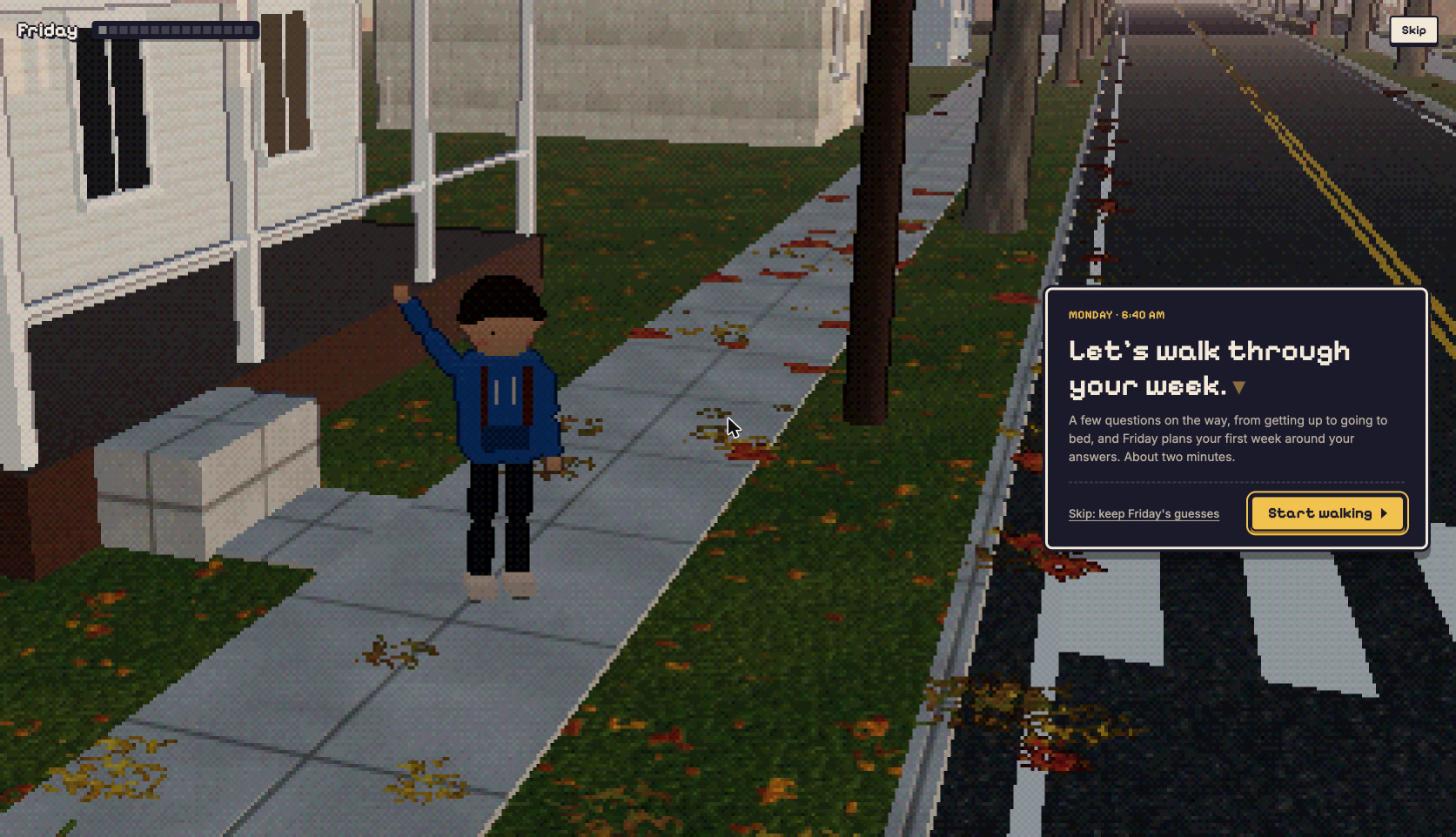
The first time you open Friday, you walk through a little town from waking up to going to bed. On the way it asks what only you know: when you get up, when you eat, when you're in class or at work.
By bedtime, your first week is planned. In a hurry? Skip the walk and change anything later.
Private by design
Your week stays on your Mac.
Friday isn't a website you log in to. It's an app that runs on your computer, and your plans live there.
Nothing to sign up for. Download it and open it.
Your tasks, plans and calendars are kept in a folder on your Mac, not with us.
Free to download and use, and open source soon, so anyone can see what it does.
Questions
Is Friday really free?
Yes. There's no trial and no subscription. Friday will also be open source.
Why does my Mac warn me the first time I open it?
Friday isn't signed by Apple yet, so macOS asks you to allow it once: click Done, then Open Anyway in System Settings → Privacy & Security (step by step). Or install it with one line in Terminal, and there’s nothing to allow: how.
Does it need an AI?
No. Planning, replanning and everything else work without one. An AI only adds asking for changes in your own words.
Does it work with Google Calendar?
Your Mac's calendars and calendar links work now. Google Calendar and Gmail are coming to the download soon.
Is there a Windows, Linux or iPhone version?
Not yet. Windows and Linux versions are planned; Friday is a Mac app for now, for Macs with Apple silicon.
Where is my data?
In ~/Library/Application Support/Friday on your Mac, with a backup every day. Privacy.
Something else?
Contact us: a problem, a question or an idea goes straight to the person who makes Friday.
Give your week a plan.
Download for MacFree · 0.3.0 · 233 MB · Apple silicon, macOS 14 or later
Or install it from Terminal, and macOS won’t ask you to allow it:
curl -fsSL https://friday-scheduler.com/install.sh | sh